AI Prototyping Is Changing UX Faster Than Our Process Is Ready For
AI prototyping speeds up design dramatically, but when early prototypes look real, feedback can shift from defining the problem to critiquing the interface.
TL:DR
AI prototyping lets designers build realistic, interactive prototypes much faster, but when something looks real, stakeholders treat it as real. That can shift feedback toward surface-level critique instead of deeper conversations about problems, systems, and user needs. The challenge for UX is not just using AI tools, but making sure speed does not push teams past the thinking stages that make good products possible.
Changing the Pace of the Work
I recently tried an AI-assisted prototyping workflow on a large portal project, and it completely changed the pace of the work. Normally, building a coherent prototype for something like a staff portal takes me three to six weeks. I move deliberately through the work. Maybe a directory pattern, then a news card pattern, then navigation structures. Each piece is reviewed and refined before the next one appears. It is intentionally incremental. The product requirements are usually already defined in a PRD, but the design work is compartmentalized so we can get focused feedback on each piece before moving forward.
This time, I took a different path.
I started with a very basic wireframe structure in Figma and then moved it into Figma Make to generate a working interface. From there I brought it into Google’s Antigravity environment to iterate directly in code, pushed the project into a repository, and deployed the prototype through Vercel so it could be shared and explored. Within about two weeks I had a fully clickable portal running online. Pages connected, navigation worked, and interactions were present in a way that felt surprisingly close to a real product.

Stakeholders could explore the system as if it were already built. And while that speed was exciting, it also surfaced something that I think UX teams need to start talking about. AI prototyping may be accelerating us past parts of the design process that still matter.
The Acceleration Is Real
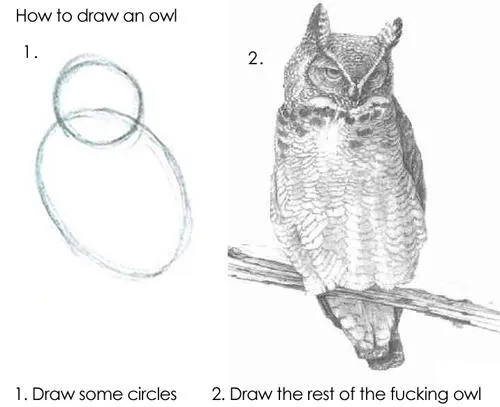
There is no denying the productivity shift. AI tools make it possible to move from rough structure to interactive prototype dramatically faster than traditional design workflows. What used to unfold gradually can now appear almost instantly (with a good prompt, that is). Instead of presenting fragments of a system, why not just present the entire thing?
This time around, stakeholders weren’t reacting to isolated components or page templates. They were navigating a full environment. From a communication standpoint, that clarity is powerful. People understand systems better when they can experience them.
When a Prototype Looks Real, It Gets Treated as Real
One of the first things I noticed was how quickly the prototype changed the nature of feedback.
When something is clickable and polished, people naturally assume it is close to finished. Even when you explain that it is exploratory, the visual and interactive fidelity signals ‘This is a finished product.’
I noticed that stakeholders begin responding to it as an object rather than as an idea.
The Risk of Skipping the System Conversation
Another effect of AI prototyping is that it can bypass an important part of design system thinking. In traditional UX workflows, components emerge gradually. A card pattern appears. Then a list layout. Then a page structure. Each step gives teams a chance to talk about reuse, hierarchy, and consistency. The system becomes visible as it forms.
With AI-assisted prototyping, however, the system can appear all at once. The interface materializes as a complete environment before those foundational conversations happen. Stakeholders experience the assembled product instead of the building blocks that created it and the result is a subtle inversion of the process.
Instead of defining components and patterns first, teams start reacting to the finished-looking interface which can make it harder to talk about the system beneath it.
Feedback Becomes Harder to Structure
There was also a practical challenge. When we gather feedback on design work, tools like Figma provide a shared environment for commenting, annotation, and discussion. Feedback attaches directly to frames and components. But a coded prototype does not always offer that structure. In this case, I had to create a separate feedback form just to collect reactions. The prototype was easy to explore, but harder to discuss collaboratively.
That small shift highlighted something important. Our feedback processes are deeply tied to our design tools. When the artifact changes, the process needs to evolve with it.
The Design Lifecycle Might Be Changing
Most designers are familiar with the common stages of design thinking:
- Empathize
- Define
- Ideate
- Prototype
- Test
AI-assisted workflows blur the boundaries between several of these steps. When a prototype can be generated quickly from a loose structure, the transition from ideation to prototyping collapses. Designers can move directly from rough thinking to interactive artifacts. On the surface, that seems like pure efficiency. But it also introduces a new challenge in that prototypes can now appear before teams have aligned on the problem, the system, or the structure. And once a prototype exists, the conversation naturally gravitates toward it.
Designers May Need to Protect Earlier Stages
The more I experiment with these tools, the more I believe designers may need to become more intentional about protecting earlier stages of the process. Just because we can generate a working interface quickly does not mean we should let that interface lead the conversation.
Sometimes the work still needs to stay messy and stakeholders need to react to concepts instead of (perceived) artifacts.
Sometimes the system needs to be discussed before the interface appears. AI prototyping is incredibly powerful, and I will absolutely keep using it. It accelerates exploration and makes ideas tangible much faster than traditional workflows. But it also introduces a new responsibility, where designers now have the ability to generate artifacts that look like finished products long before the thinking behind them is finished.
And that means the challenge is no longer just designing interfaces, it is designing the conditions for the right conversations to happen before those interfaces feel real.